Managing your online store just got easier (and it looks cooler)
 Egor Kuryanovich for Updates
If you sell things online, you know the drill: the better it looks, the higher your sales are. We totally get that. So, for the last few weeks, we've been working hard to make your online stores even more convenient, attractive, and functional without you spending tons of time to manage them.
So, what’s new?
First things first, your product grid is more flexible. Before you had to specially prep your images just so they would line up perfectly. That's history now!
- Simply set the aspect ratio you want, and all your product images will get the same proportions and style. No more awkward alignments!
- Now, in your products section, you can feature items not only from a specific Category, but also products from a Brand or even those marked with the same Label.
These settings make it easy to showcase all your discounted items or create dedicated pages not just for categories, but for Brands, too.
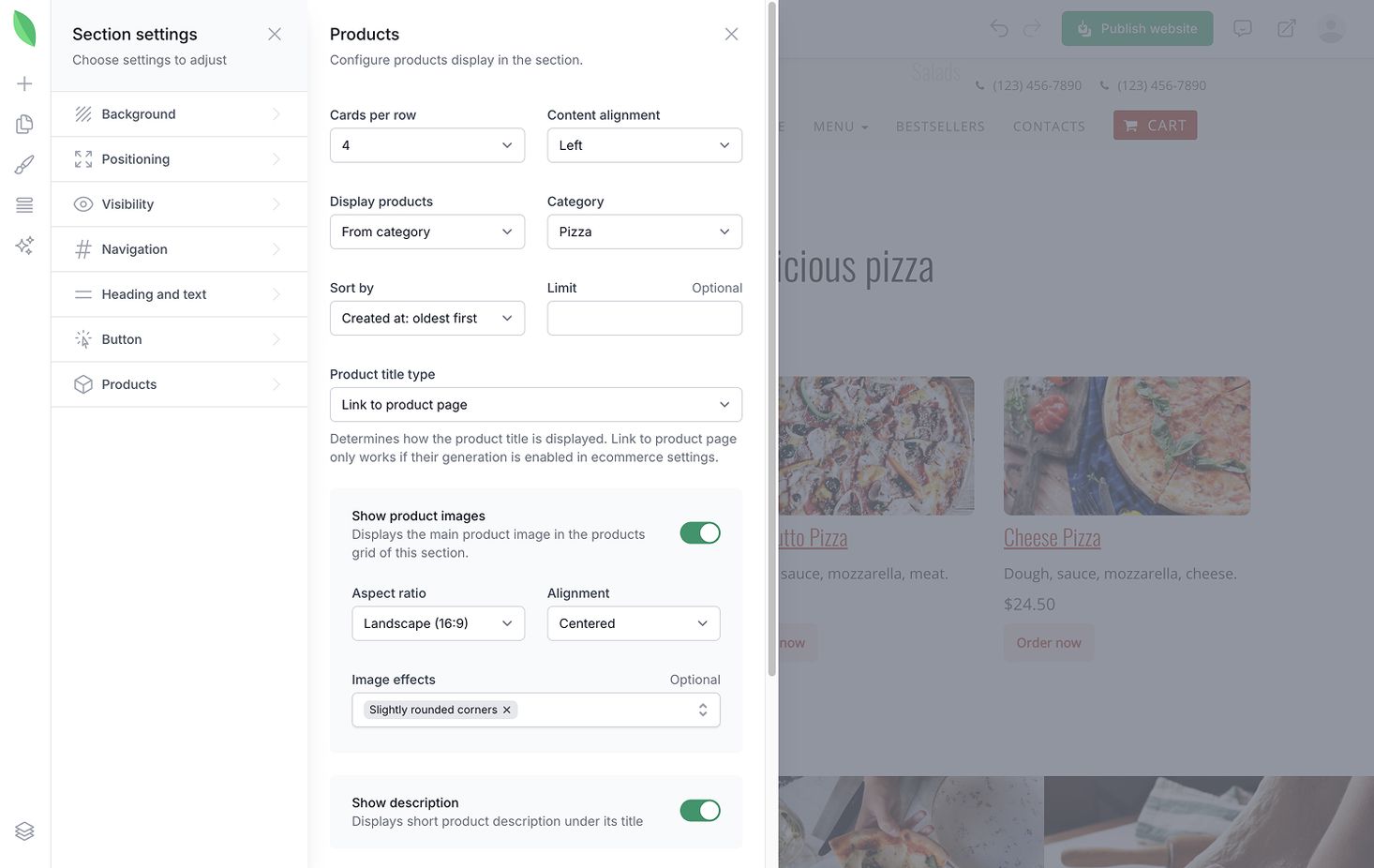
We introduced a total of 8 new settings to the products section:
- Image grid editing: aspect ratio, positioning, and image effects.
- Options to hide the product description or image.
- Alignment of text, price, and button within the product card.
- Which products to display: by Category, Brand, or Label.
- Product sorting: Newest to oldest, by price, or alphabetically.
Combined with the ability to change button styles, your product grid can look exactly the way your store needs it to.
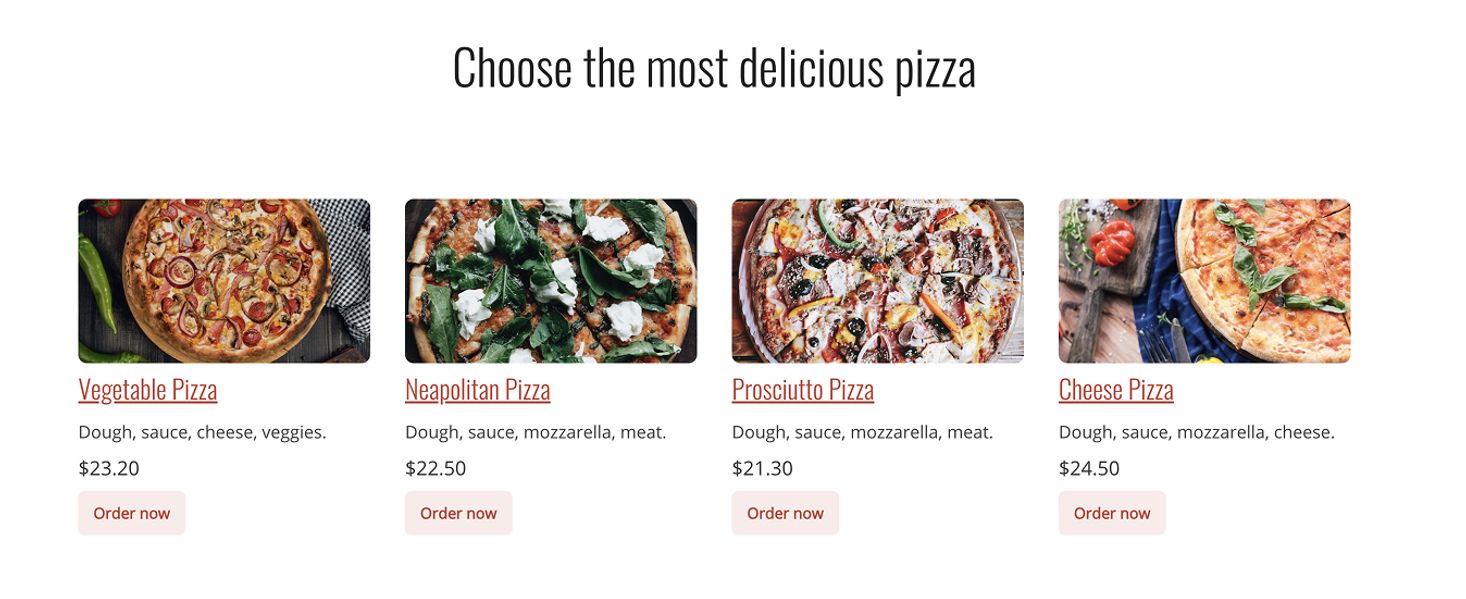
Second, now you can have related products on the product page. If you're on the Thrive plan, you can now set up a "Related Products" section for any product in your catalog. It will show up right on the product card in your store below the main product description.
Use this block to suggest what else customers can buy along with the item they are viewing or show them products that are similar to the current one. The Related Products grid displays 4 items per row.
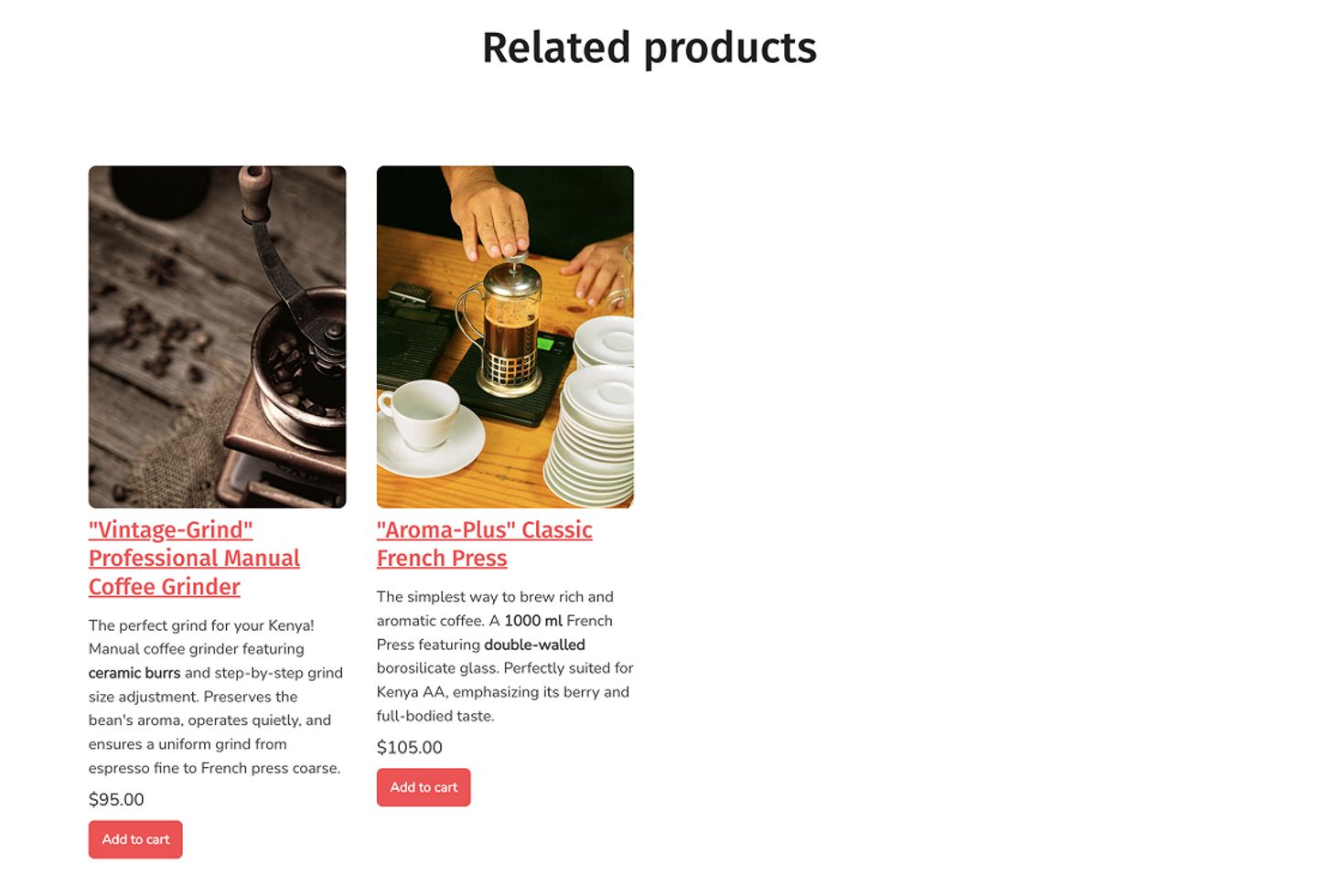
We've given the product card a design refresh. Everything looks more balanced and proportional now: the image gallery works better and you can now set the aspect ratio for the product image gallery within the "Related Products" section.
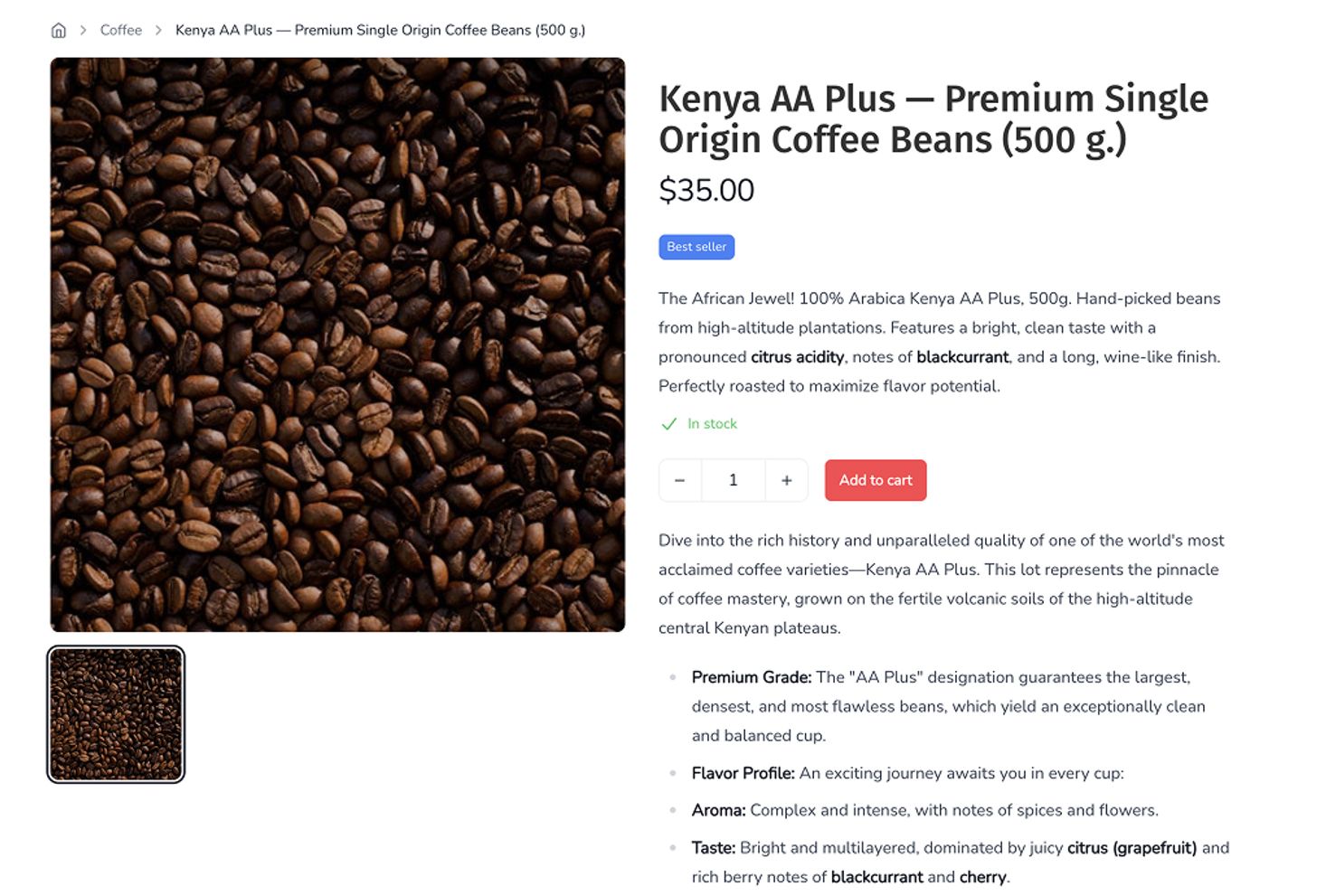
And last but not the least, category page template settings are now visible. We've always generated Category pages, but you couldn't actually manage them. Not anymore! You can now configure the grid layout for these pages too. What’s more, you can enable "Breadcrumbs" on the product page. They'll be clearly linked to the corresponding category page, which makes navigating your catalog much easier.
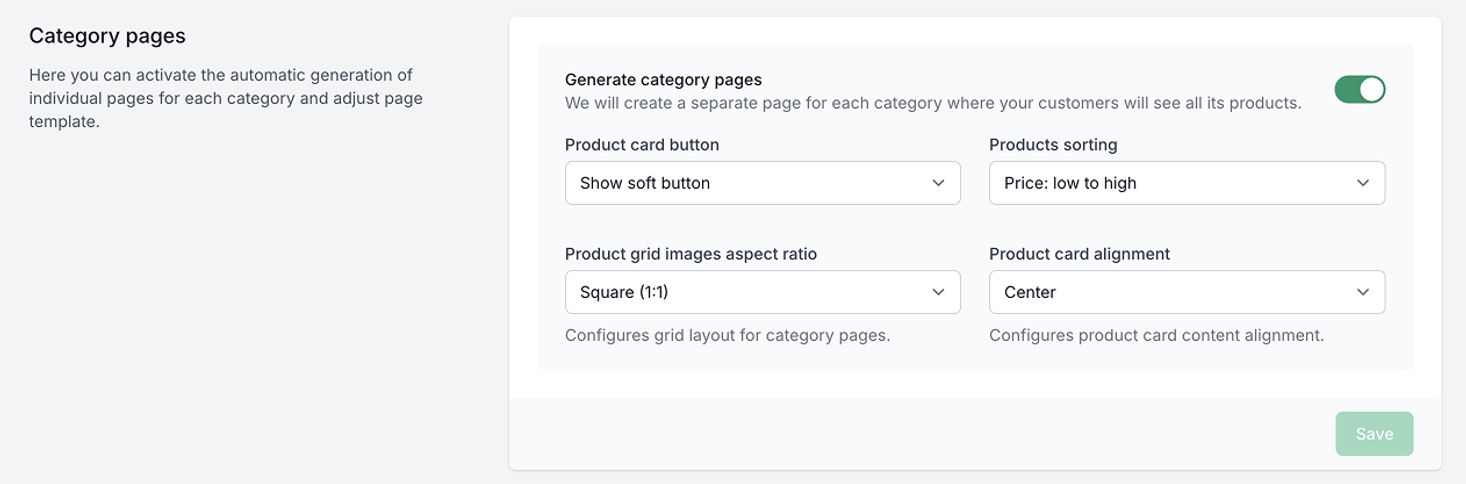
We're confident these new settings will make your stores perform even better, bringing joy to both you and your customers.
What’s Next?
We're taking a short break from e-commerce features for now. We'll be focusing on improving the look and feel of all other sections on your site. We're also prioritizing improvements to Forms, so it's easier and smoother for your visitors to place orders on your website.
We'll keep you posted on our updates! See you in 🌱kvitly!

Egor Kuryanovich
A web developer with 15 years of experience, the author of popular Belarusian and international online services, wrote a book about HTML5 when it was not yet mainstream. He loves cherry treats very much.
Are you ready?
Explore 🌱kvitly with no limits within the trial period of 14 days. No commitment, no credit card required.
Let’s try!