
Meet site search: help visitors find products, pages and articles
 Natallia Usava for Updates
Big catalog? Lots of pages? A growing blog? Here's some good news: your 🌱kvitly website now has site search. Add a search bar to your site or online store, and visitors can find products, pages, and blog articles in one place.
How does it work?
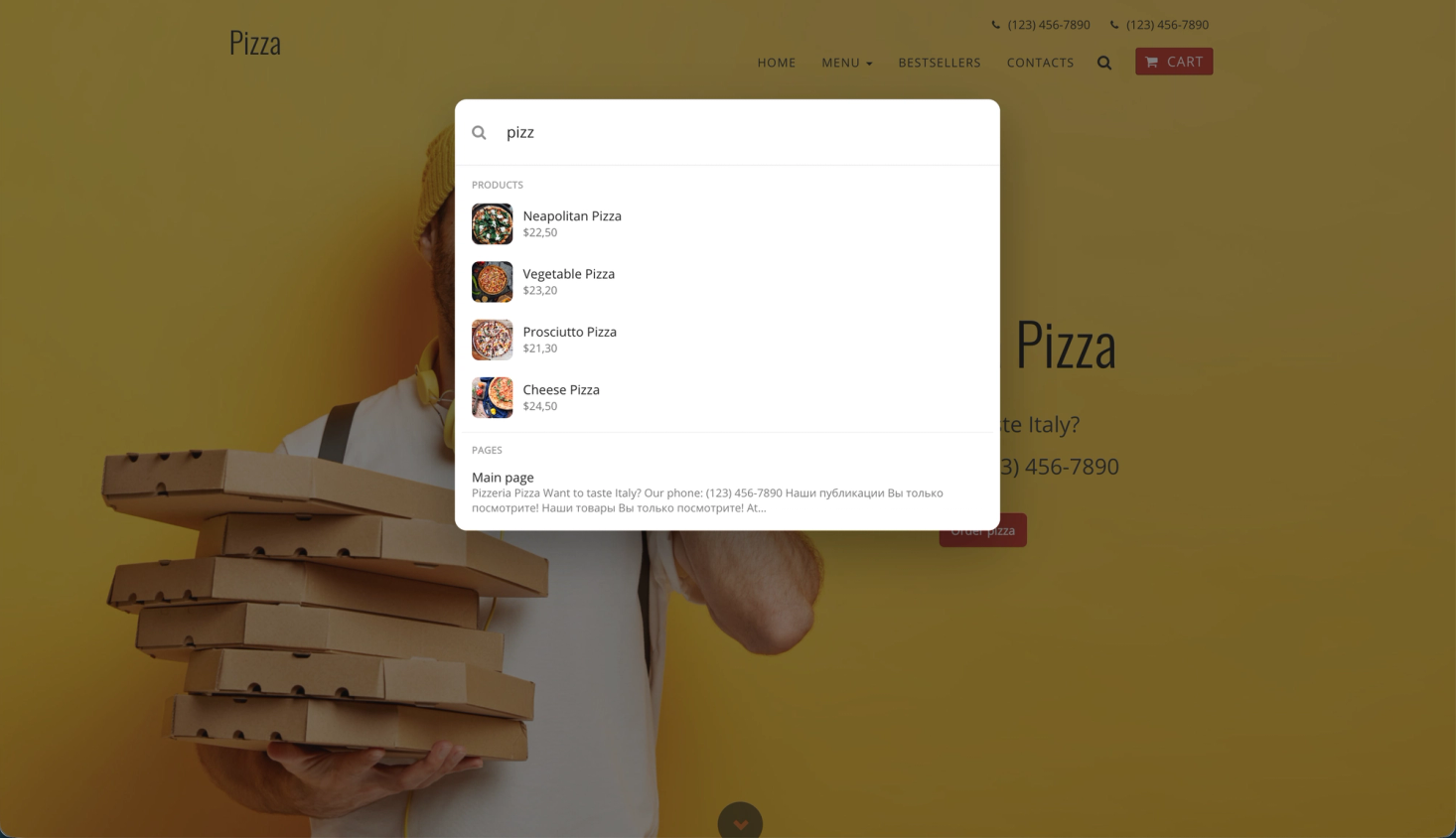
A visitor clicks the search icon in your site header and types what they're looking for — say, "linen shirt" or "shipping". Results show up instantly, grouped by type:
- Products — with photo and price, so shoppers know right away they've found the right thing.
- Pages — like your pricing, delivery, or contact info.
- Articles — posts from your blog.
One click, and they're exactly where they wanted to be.
How do I turn it on?
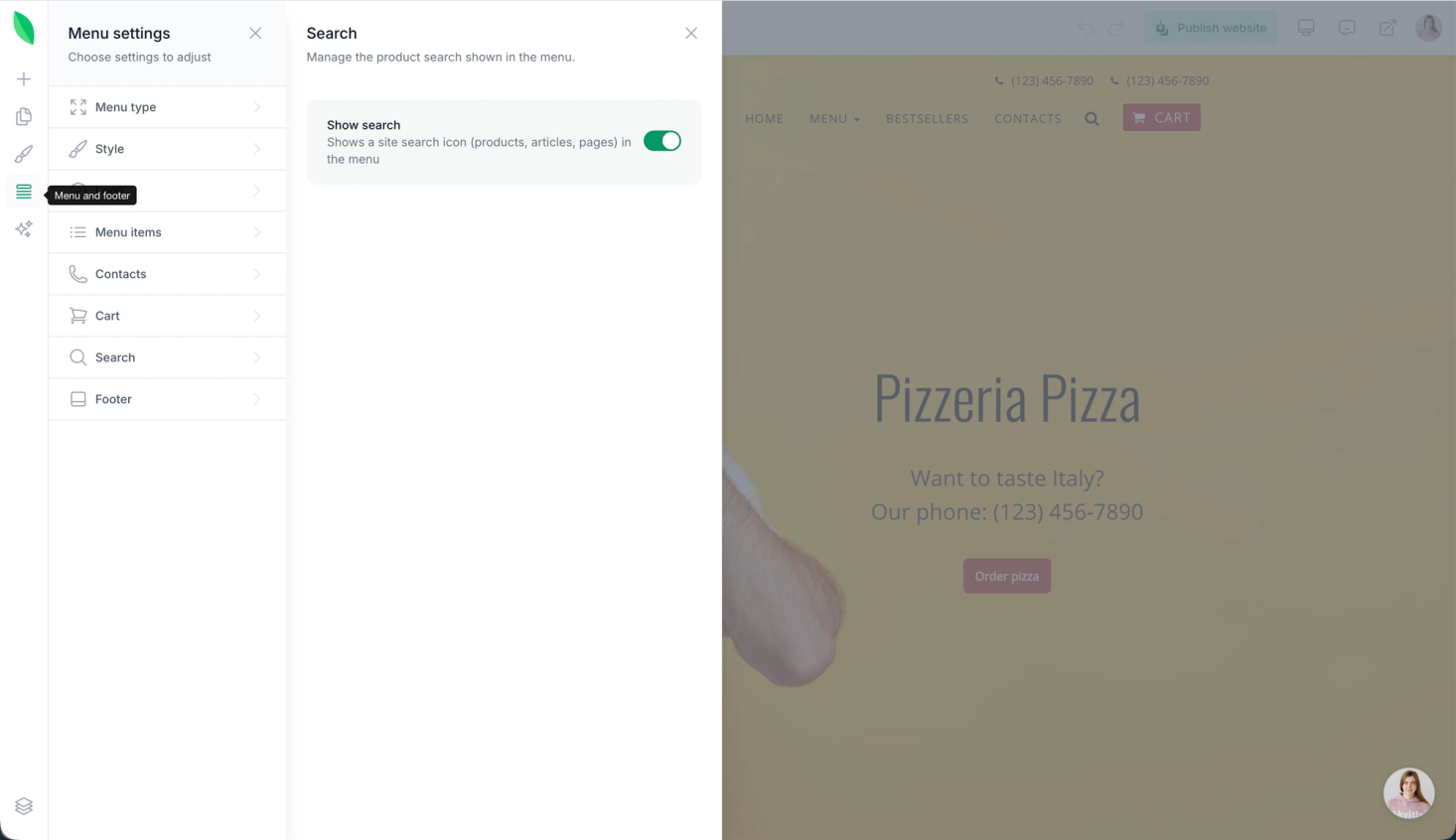
Open the Design Editor, go to your Menu and search settings, and switch on Search. Publish your site — that's it. New products and articles are added to search results automatically.
On mobile, search lives neatly inside the menu, so your header stays clean on small screens.
Who is it for?
- Online stores with a big catalog — shoppers find what they need in seconds instead of scrolling.
- Service businesses with many pages — clients get answers without calling you.
- Bloggers — your older posts keep getting read. Don't have a blog yet? See how to start one with Articles.
Is this included in my plan?
Yes! Site search is available starting from the Grow plan, including Thrive, at no extra cost.
What's next?
This is the first version of search, and we're already working on making it even better. Got ideas? Drop us a line — we read every message.
Turn on search today and help your visitors find what they came for! 🔍

Natallia Usava
Head of 🌱kvitly. She commands time and a little space, knows everything about the needs of clients, loves to smile, and gets goosebumps at the sound of a cello.
Are you ready?
Explore 🌱kvitly with no limits within the trial period of 14 days. No commitment, no credit card required.
Let’s try!