
Best AI Website Builders for Freelancers (2026)
 Natallia Usava for Academy
As a freelancer, your website has one job: turn a stranger into a paying client. It needs to look professional, show your work, and make it easy for someone to hire you — without eating a weekend you could have spent billing. That's exactly what AI website builders promise: describe what you do, and a full site appears in minutes.
But "builds a site fast" isn't the same as "helps you get clients and get paid." Below are the best AI website builders for freelancers in 2026, honestly compared — including where each one shines and where it stops. We build one of them (🌱kvitly), so we'll be clear about who it's for and who's better off elsewhere.
New to AI builders in general? Start with what is an AI-powered website builder.
What freelancers actually need from an AI website builder
Before the list, here's the checklist we're scoring against — because for a freelancer, a pretty homepage is only half the job:
- Fast, professional setup — a polished site from a few prompts, no designer required.
- A portfolio that sells — clean galleries or case studies that show your work at its best.
- Lead capture — contact forms, booking, or a way to collect enquiries automatically.
- Getting paid — invoicing, payments, or a checkout, so the site closes the loop instead of just looking good.
- A price that fits — freelance income is lumpy, so low or free entry plans matter.
- Room to grow — space to add a store, a client base, or automation as you scale.
The best AI website builders for freelancers in 2026 (quick list)
Short on time? Here's the ranking, with the detail below.
- 🌱kvitly — best all-in-one for freelancers who want to get paid, not just seen.
- Framer AI — best for design-led portfolios.
- Wix AI — best for flexibility and a big app market.
- Hostinger AI — best budget pick.
- Durable — best for a fast one-page site.
- Squarespace — best for visual, creative brands.
1. 🌱kvitly — best all-in-one for freelancers
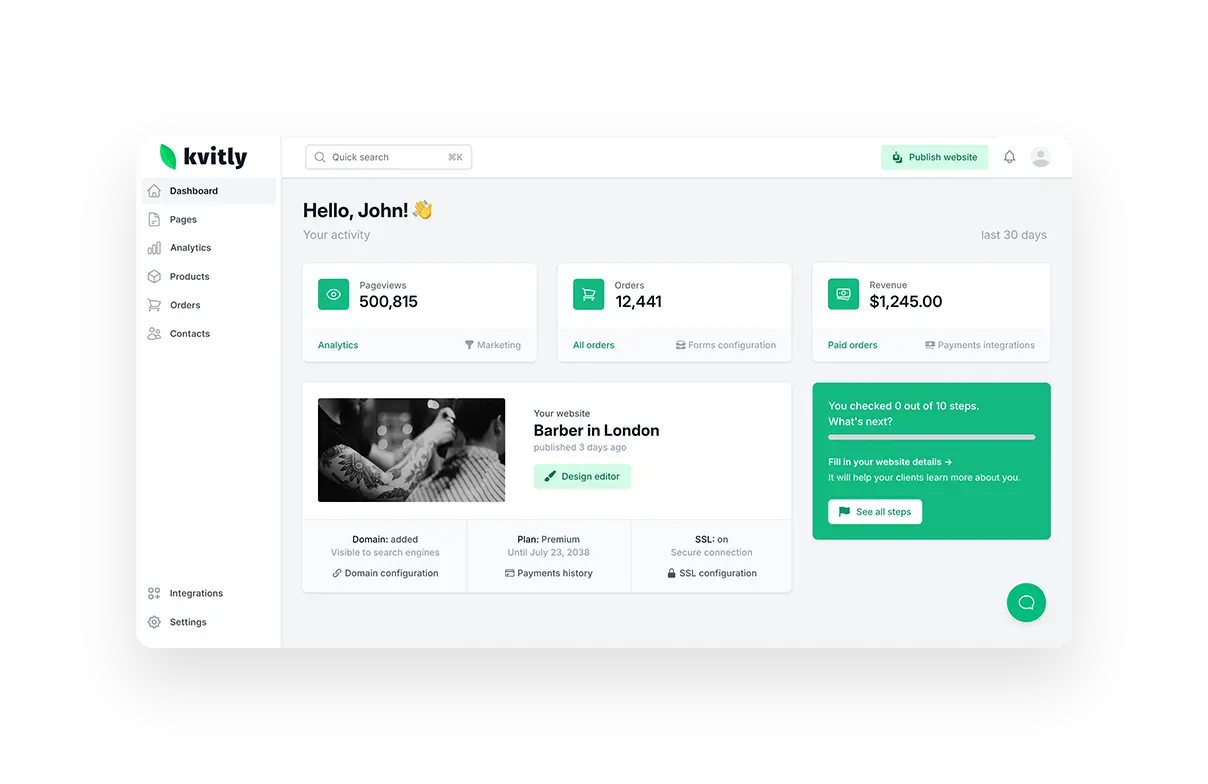
Most builders on this list stop at the website. 🌱kvitly is an AI-powered all-in-one platform: it builds your site, then gives you the tools to actually run the freelance business behind it — a CRM to track leads and clients, online payments, and marketing automation, all in one place. You describe your work, and the AI assistant helps generate the pages, the copy, and even social posts to promote them.
Why it's first for freelancers: a freelance site isn't a brochure — it's how you land and manage work. With 🌱kvitly, an enquiry becomes a contact in your CRM, you send a payment link or take a booking, and you follow up automatically. No stitching together five separate tools.
AI features: site and page generation from a description, AI copywriting, and AI-suggested marketing (social posts and growth ideas) tailored to your niche.
Best for: freelancers and solopreneurs who want one tool for their site, clients, and payments — especially anyone selling services, sessions, or digital products.
Where it stops: if all you'll ever want is a single design-showcase page and nothing more, a pure portfolio tool like Framer may be lighter than you need.
Pricing: free Start plan; Grow at $8/mo; Thrive at $17/mo for the full AI feature set and unlimited pages. 14-day trial, no credit card.
2. Framer AI — best for design-led portfolios
Framer started as a designer's tool, and it shows. Its AI generates modern, visually polished sites from a prompt, with smooth animations and responsive layouts. For a freelancer whose work is judged on visual taste — designers, illustrators, art directors — Framer produces a portfolio that looks high-end.
AI features: chat-based site and wireframe generation, layout suggestions, and copy assistance.
Best for: visual creatives who want a striking portfolio and care about design polish above all.
Where it stops: it's a website tool, not a business hub — no built-in CRM or client management, so payments and bookings mean adding third-party tools.
Pricing: free plan available; paid plans from around $5/mo (billed annually), rising to about $30/mo for Pro.
3. Wix AI — best for flexibility
Wix pairs an AI site generator with the most flexible editor and the biggest app market of any builder here. Answer a few questions and it builds a site you can then customise endlessly, adding bookings, e-commerce, or marketing tools from its App Market.
AI features: question-based site generation, AI text and image tools, and design suggestions.
Best for: freelancers who want room to customise and add features over time, and don't mind a busier interface.
Where it stops: advanced features come as paid apps that stack up, and the free plan shows Wix ads. E-commerce needs the $29/mo Core plan and up.
Pricing: free plan (with ads); paid from $17/mo (Light); online store from $29/mo (Core).
4. Hostinger AI — best budget pick
If keeping costs down is the priority, Hostinger's AI builder is the value play. It generates a simple site with AI copy and stock images included, on top of Hostinger's affordable hosting. It won't win design awards, but it gets a clean, working portfolio online cheaply.
AI features: AI site generation, AI copywriting, and AI image tools.
Best for: freelancers on a tight budget who want a straightforward site and hosting in one bill.
Where it stops: lighter on design flexibility and business features, and there's no free plan.
Pricing: from around $11–12/mo, hosting included.
5. Durable — best for a fast one-page site
Durable is built for speed: it generates a complete one-page business site in about 30 seconds, with copy, images, and a contact form. For a freelancer who just needs a credible presence live today, it's the fastest way there.
AI features: near-instant full-site generation, AI copy, and basic AI invoicing and CRM on higher tiers.
Best for: freelancers who want a simple one-pager online immediately, with minimal fuss.
Where it stops: limited depth and customisation; better as a starter site than a long-term home as you grow.
Pricing: free to try; paid from around $12/mo.
6. Squarespace — best for creative brands
Squarespace makes some of the most beautiful templates around, with AI now guiding the setup. For freelancers building a brand where the visual feel matters — photographers, writers, studios — it delivers a premium look with light e-commerce alongside.
AI features: AI-guided design and layout suggestions, plus AI writing help.
Best for: creatives who want a polished, editorial-style site and don't need deep client-management tools.
Where it stops: no free plan, lighter CRM and automation, and the Basic plan still charges a 2% transaction fee.
Pricing: no free plan (14-day trial); from about $16–19/mo.
Pricing at a glance
Want a deeper platform comparison beyond AI builders? See 🌱kvitly vs Wix vs Shopify vs Squarespace.
- 🌱kvitly — free plan; full AI feature set from $17/mo.
- Framer — free plan; from about $5/mo.
- Wix — free plan (ads); from $17/mo.
- Hostinger — from about $11–12/mo (no free plan).
- Durable — free to try; from about $12/mo.
- Squarespace — no free plan; from about $16–19/mo.
How to choose the right one for you
- "I want one tool for my site, clients, and payments." → 🌱kvitly.
- "My work is visual and the design has to wow." → Framer.
- "I want maximum flexibility and apps." → Wix.
- "I need the cheapest solid option." → Hostinger.
- "I just need a one-pager live today." → Durable.
- "I want the most beautiful template." → Squarespace.
The honest rule of thumb: if your website is purely a portfolio, a design-first tool is enough. If your website is how you find clients and get paid, choose a builder that runs the business behind it — which is exactly why 🌱kvitly leads this list for freelancers.
Frequently asked questions
What is the best AI website builder for freelancers in 2026?
For most freelancers, 🌱kvitly — because it builds the site and handles the clients and payments behind it in one place. If you only need a visual portfolio, Framer is the top design-led pick, and Hostinger is the best budget option.
Is there a free AI website builder for freelancers?
Yes. 🌱kvitly, Framer, and Wix all have free plans, and Durable is free to try. Hostinger and Squarespace don't offer a permanent free plan — only paid plans or trials.
Can an AI website builder build my whole freelance site?
Largely, yes. You describe your services and the AI generates the pages, layout, and starter copy in minutes. You'll still want to refine the wording and add your real work — AI gets you most of the way, fast. See our guide on AI vs traditional website builders for the trade-offs.
Do I need to know how to code?
No. Every builder here is no-code and drag-and-drop, with AI handling the heavy lifting of layout and copy.
Which AI website builder helps freelancers get paid?
🌱kvitly is built around it — payments, a CRM, and follow-up are part of the platform, so an enquiry can turn into a paid client without extra tools. Durable adds basic invoicing on higher tiers; the others usually need a separate payment or invoicing tool.
The bottom line
Every AI builder here can put a freelance site online fast. The difference is what happens next. For a pure portfolio, Framer and Squarespace look fantastic; Hostinger wins on price; Durable wins on speed; Wix wins on flexibility.
But if you want your site to actually win clients and get you paid — not just sit there looking nice — 🌱kvitly is the all-in-one built for exactly that. Describe your work, let the AI build your site, and run the whole freelance business from one place.
Try 🌱kvitly free for 14 days →
Related articles

Natallia Usava
Head of 🌱kvitly. She commands time and a little space, knows everything about the needs of clients, loves to smile, and gets goosebumps at the sound of a cello.
Are you ready?
Explore 🌱kvitly with no limits within the trial period of 14 days. No commitment, no credit card required.
Let’s try!