
Top AI Tools for Small Business Productivity
 Natallia Usava for Academy
Running a small business means doing the work of a whole team — marketing, admin, sales, support — usually before lunch. AI tools are the closest thing to hiring help without the payroll: they draft the emails, take the meeting notes, design the graphics, and handle the repetitive clicks. The catch is that there are hundreds of them, and it's easy to end up paying for ten overlapping subscriptions you barely use.
Focused on marketing specifically? See which AI tool should you choose for marketing.
So here are the top AI tools for small business productivity in 2026, grouped by the job they do — with what each is for, rough pricing, and where to start. We build an all-in-one business platform (🌱kvitly), so we'll also show how to fold several of these jobs into one tool instead of juggling a drawer full of them.
How to think about AI tools (before you buy ten)
A quick filter that saves money and sanity: pick tools by the job to be done, not the hype; watch for overlap (three tools that all write copy is two too many); and favour tools that already live where you work, so AI is one click away instead of another tab. With that in mind, here's the field.
General AI assistants (your everyday co-pilot)

One general assistant handles a huge share of daily work — drafting, summarising, brainstorming, explaining. For most small businesses this is the first and most valuable AI subscription.
- ChatGPT — the versatile default for writing, research, and problem-solving. Free tier; Plus around $20/mo.
- Claude — a strong writing and reasoning assistant, well-liked for longer documents and careful analysis. Free tier; Pro around $20/mo.
- Google Gemini — deeply tied into Gmail, Docs, and the rest of Google Workspace. Free tier; paid from around $20/mo.
Writing & marketing content
- Jasper — marketing-focused writing that keeps a consistent brand voice across blogs, emails, and ads. From about $39/mo.
- Copy.ai — quick sales copy, social captions, and product descriptions. Free tier; paid from about $49/mo.
- Grammarly — real-time grammar, tone, and clarity fixes everywhere you type. Free tier; Pro from about $12/mo.
Design & visuals
- Canva (Magic Studio) — the go-to for small-business design: AI image generation, background removal, and one-click resizing for every platform. Free tier; Pro around $15/mo.
- Midjourney — high-quality, photorealistic images for campaigns and websites. From about $10/mo.
Meetings & notes
- Otter.ai — records, transcribes, and summarises meetings in real time. Free tier; Pro around $17/mo.
- Fireflies.ai — meeting transcription with strong search across everything ever said. Free tier; paid from about $10/mo.
- Fathom — a genuinely free meeting recorder that highlights key moments and syncs summaries to your CRM or Slack.
Automation (connect your apps)
The quiet productivity multiplier: let AI move information between your tools so you stop copying and pasting.
- Zapier — connects thousands of apps and now adds AI steps and agents to automate multi-step workflows. Free tier; paid from about $20/mo.
- Make — a visual, flexible automation builder, often cheaper at higher volumes. Free tier; paid from about $9/mo.
Customer support & chat
- Tidio (Lyro AI) — budget-friendly live chat with an AI bot that answers common questions automatically. Free tier; AI plans from about $29/mo.
- Intercom (Fin) — a powerful AI support agent for growing teams, priced per resolution. Paid; usage-based.
- ManyChat — automates conversations and lead capture on Instagram, WhatsApp, and Messenger. Free tier; paid from about $15/mo.
Run your website, store & customers in one place

Here's where the tool drawer gets expensive. Many small businesses end up paying for a website builder, a separate CRM, an email tool, a payment plugin, and a marketing app — five subscriptions for what is really one job: getting and keeping customers.
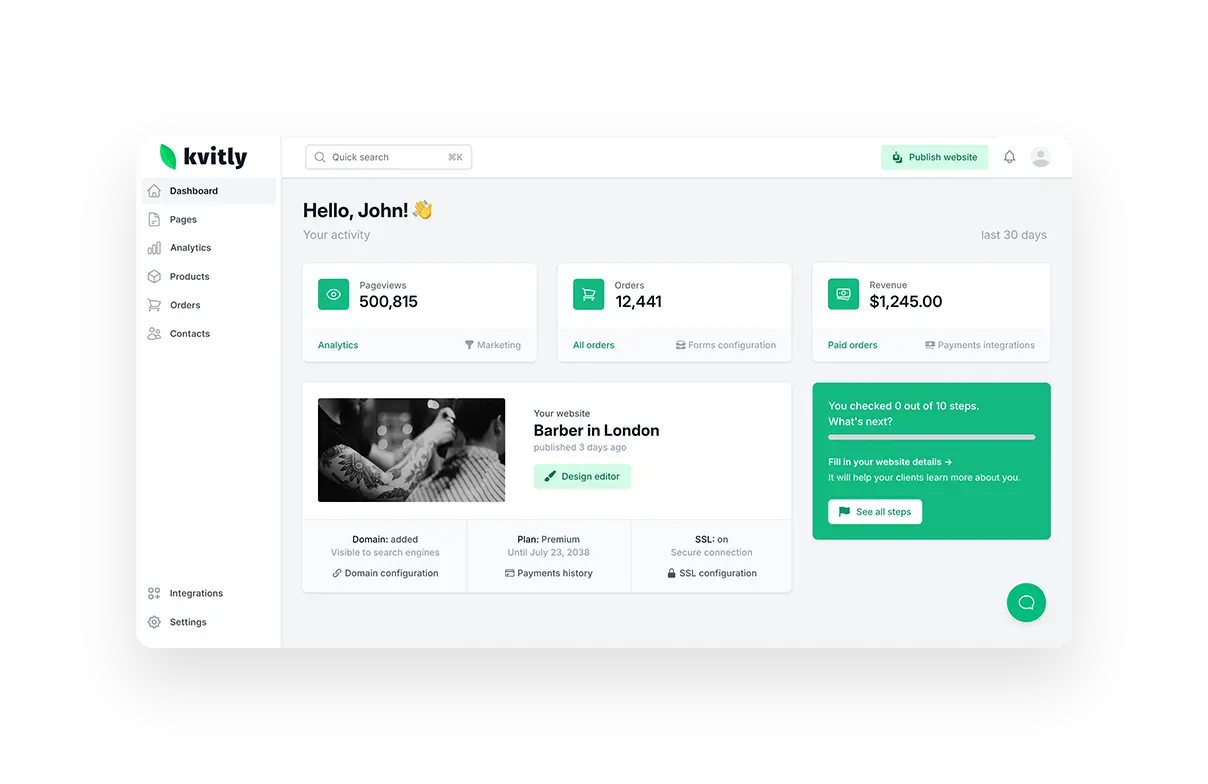
🌱kvitly is an AI-powered all-in-one that folds those into a single platform: an AI website and online-store builder, a built-in CRM, payments, and marketing automation. The AI helps generate your pages and copy, suggests social posts, and turns an enquiry into a tracked customer you can follow up with — without wiring five apps together.
How it fits your stack: keep a general assistant like ChatGPT or Claude for everyday thinking, and let 🌱kvitly run the business operations — site, store, customers, and marketing — in one place.
Pricing: free Start plan; full AI feature set from $17/mo (Thrive). 14-day trial, no credit card.
If a website is your starting point, see our guides on the best AI website builders for freelancers and the best tools for website SEO to set the foundation.
Pricing at a glance
- Free to start: ChatGPT, Claude, Gemini, Grammarly, Canva, Otter, Fireflies, Zapier, Tidio (all have free tiers); Fathom is fully free; 🌱kvitly has a free plan.
- Around $10–20/mo: ChatGPT / Claude / Gemini paid (~$20), Grammarly (~$12), Canva Pro (~$15), Otter (~$17), Midjourney (~$10), Zapier (~$20), 🌱kvitly (~$17).
- $30/mo and up: Jasper (~$39), Copy.ai (~$49), Tidio AI (~$29), and usage-based support tools like Intercom Fin.
How to build your AI stack without overload
- The starter stack (most small businesses): one general assistant (ChatGPT or Claude) + 🌱kvitly for your website, store, and customers + one automation tool (Zapier). That covers thinking, doing, and connecting.
- Add as you grow: a design tool (Canva), a meeting notetaker (Otter or free Fathom), and a dedicated writing tool (Jasper) if you publish a lot.
- The rule: add a tool only when it owns a job nothing else in your stack already does. If it overlaps, cancel one.
Frequently asked questions
What are the best free AI tools for small business?
ChatGPT, Claude, and Gemini all have capable free tiers, as do Canva, Grammarly, Otter, and Zapier. Fathom is fully free for meeting notes, and 🌱kvitly has a free plan for your website and store. You can build a genuinely useful stack before paying for anything.
What's the cheapest AI assistant?
The big three — ChatGPT, Claude, and Gemini — all land around $20/mo for their paid tiers, and each has a free tier that's enough for light use. Pick the one that fits where you already work (Gemini if you live in Google Workspace, for example).
Do I really need all of these?
No — most small businesses thrive on three or four: a general assistant, an all-in-one to run the business (like 🌱kvitly), an automation tool, and maybe a design or notes app. More tools than that usually means overlap and wasted spend.
How do I avoid paying for overlapping AI tools?
Group your tools by job. If two do the same job, keep the one that fits your workflow best and cancel the other. All-in-one platforms help here — 🌱kvitly replaces a separate builder, CRM, email, and payments tool with one subscription.
Can one tool run my whole small business?
Not literally one — you'll still want a general AI assistant for thinking and writing. But you can get close on the operations side: 🌱kvitly runs your website, store, customers, and marketing together, so the core of the business lives in one place instead of five.
The bottom line
The best AI stack for a small business in 2026 isn't the biggest — it's the smallest one that covers every job without overlap. Start with a general assistant for everyday work, add automation to kill the busywork, and use an all-in-one to run the business itself.
That last piece is where the most time and money leak out. 🌱kvitly brings your website, store, customers, and marketing into one AI-powered platform — so instead of managing five subscriptions, you run the whole thing from one place and get your hours back.
Try 🌱kvitly free for 14 days →
Related articles

Natallia Usava
Head of 🌱kvitly. She commands time and a little space, knows everything about the needs of clients, loves to smile, and gets goosebumps at the sound of a cello.
Are you ready?
Explore 🌱kvitly with no limits within the trial period of 14 days. No commitment, no credit card required.
Let’s try!