
Which AI Tool Should You Choose for Marketing?
 Natallia Usava for Academy
Ask "which AI marketing tool should I choose?" and you'll get 200 answers, because there's no single best one — there's a best one for the job you most need done. A solo founder who needs weekly social posts has a very different answer from a shop owner who lives and dies by email, or a coach who wants everything tied to one customer list.
On a tight budget? See our budget-friendly AI tools for marketing.
So instead of another giant list, this is a decision guide: find your biggest marketing job below, and the tool that fits it. We build marketing automation into an all-in-one platform (🌱kvitly), so we'll also be clear about when a specialist tool wins and when you're better off keeping marketing next to your website and customers.
First, answer this: what's your biggest marketing job?

The right AI marketing tool depends almost entirely on one question: what do you spend the most marketing time on — or wish you could? Content, social media, email, ads, or running all of it around your website and customers? Find the section that sounds like you.
If your main job is writing content
For blog posts, landing pages, and general copy, a general AI assistant covers most needs, with a specialist tool if you publish at volume.
- ChatGPT or Claude — the flexible default for drafting, brainstorming, and editing. Around $20/mo, with free tiers.
- Jasper — marketing-specific templates and brand-voice control for teams that publish a lot. From about $39–59/mo.
- Copy.ai — fast sales copy, captions, and product descriptions. Free tier; paid from about $24/mo.
If your main job is social media
- Buffer — simple scheduling with AI help to repurpose and caption posts across platforms. Free tier; paid from about $6/mo per channel.
- Predis.ai — generates social posts, carousels, and videos from a prompt. From about $32/mo.
If you'd rather not run a separate social tool at all, 🌱kvitly can generate on-brand social posts from your products and pages — more on that below. See our guide to social media trends for small business.
If your main job is email marketing
- Mailchimp — the familiar all-rounder with AI subject lines and content help. Free tier; paid from about $13/mo.
- Brevo — email plus SMS with a generous free tier, often cheaper at scale. Free tier; paid from about $9/mo.
- Klaviyo — the e-commerce specialist, with predictive sending tied to purchase data. Best if a store is your core.
If your main job is SEO content
- Surfer SEO — optimises your content against what's already ranking. From about $79/mo.
- Semrush — the all-in-one suite for keywords, competitors, and rank tracking.
For the full picture, see our guide to the best tools for website SEO in 2026.
If your main job is ads & creative
- AdCreative.ai — generates and tests ad creatives optimised for conversions on Google and Meta. From about $25/mo.
- Canva (Magic Studio) — AI-assisted graphics, resizing, and background removal for every channel. Free tier; Pro around $15/mo.
If your job is all of it — tied to your website and customers

Here's the catch with the tools above: each does one job well, but your campaigns end up scattered across five apps that don't share your customer data. For many small businesses, the better answer is marketing that lives where your customers already are — your website, store, and CRM.
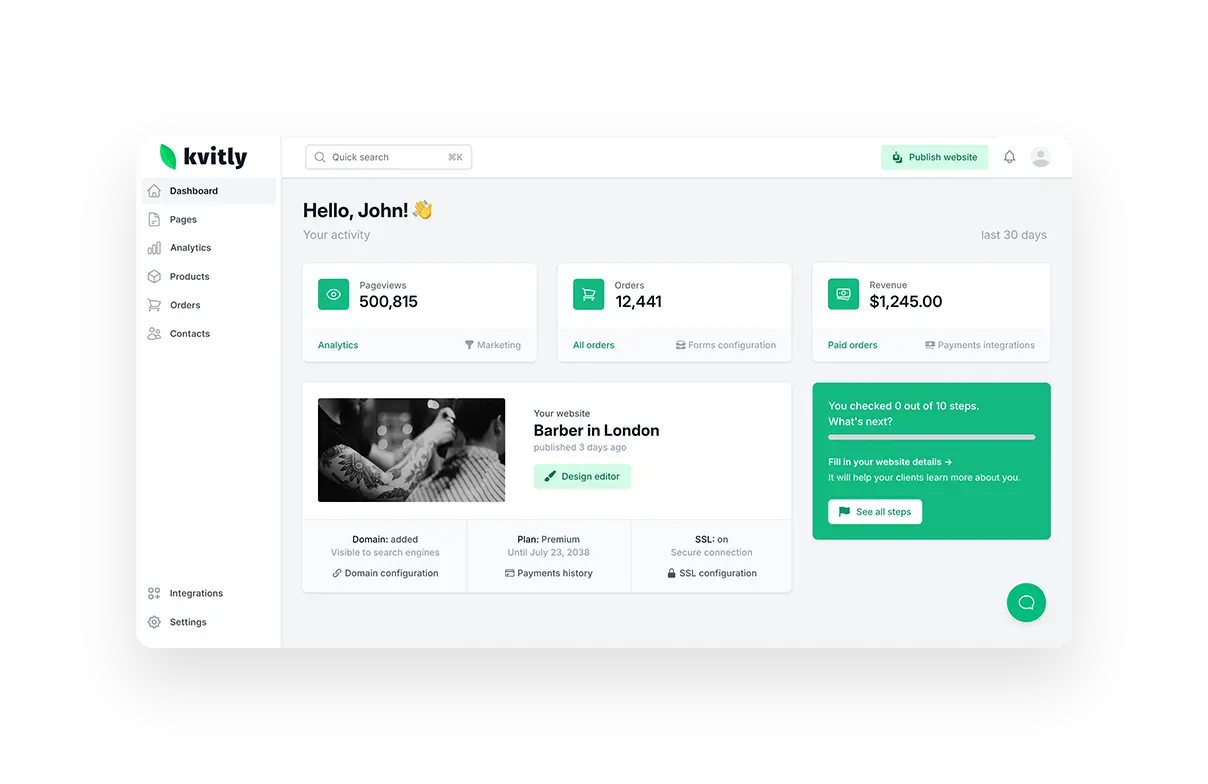
🌱kvitly builds AI marketing automation into an all-in-one platform: it generates your pages and copy, suggests social posts, and turns website enquiries into CRM contacts you can email and follow up with automatically. Because the marketing sits on top of your real customer and sales data, campaigns act on what people actually did — not a disconnected list.
For the wider toolkit beyond marketing, see our roundup of the top AI tools for small business productivity.
Best for: small businesses and creators who want their website, customers, and marketing in one place instead of five subscriptions.
For bigger teams: HubSpot offers a heavier, pricier marketing-automation suite with a free tier to start (paid plans from about $15/seat/mo).
Pricing: 🌱kvitly has a free Start plan; full AI feature set from $17/mo (Thrive). 14-day trial, no credit card.
Quick pick: which should you choose?
- Write content → ChatGPT / Claude, or Jasper at volume.
- Post on social → Buffer or Predis.ai.
- Send email → Mailchimp or Brevo (Klaviyo for stores).
- Rank on Google → Surfer or Semrush.
- Run ads → AdCreative.ai.
- Do it all around your site & customers → 🌱kvitly (or HubSpot for larger teams).
Pricing at a glance

- Free to start: ChatGPT, Claude, Copy.ai, Buffer, Mailchimp, Brevo, Canva, HubSpot; 🌱kvitly has a free plan.
- Around $10–30/mo: ChatGPT / Claude (~$20), Copy.ai (~$24), AdCreative.ai (~$25), Predis.ai (~$32), Canva Pro (~$15), Mailchimp (~$13), Brevo (~$9), 🌱kvitly (~$17).
- $40/mo and up: Jasper (~$39–59), Surfer (~$79), and enterprise marketing suites.
How to choose (a 3-question shortcut)
- What eats the most time? Pick the tool for that job first — don't buy for jobs you don't do yet.
- Where do your customers live? If your website and customer list are the centre of your business, marketing that plugs into them (like 🌱kvitly) beats five disconnected apps.
- Free or paid? Start on free tiers, and only upgrade the one tool you use every week. On a tight budget? See our guide to budget-friendly AI marketing tools.
Frequently asked questions
What's the best AI marketing tool for a small business?
It depends on your main job: ChatGPT or Jasper for content, Buffer for social, Mailchimp or Brevo for email, AdCreative.ai for ads. If you want one tool for marketing tied to your website and customers, 🌱kvitly is built for that.
What's the best free AI marketing tool?
ChatGPT, Claude, Canva, Buffer, Mailchimp, and Brevo all have capable free tiers, and 🌱kvitly has a free plan. You can run real marketing before paying for anything.
Can one AI tool handle all my marketing?
No single tool does content, social, email, ads, and SEO equally well. But an all-in-one like 🌱kvitly covers the core — pages, social posts, email, and follow-up — around your website and customers, so you need fewer specialist tools.
Do I need separate tools for email and social?
Often yes if you go deep in each — but many small businesses do fine with an all-in-one that handles both alongside their site and CRM, adding a specialist only when one channel becomes a big focus.
Which AI tool is best for social media marketing?
Buffer for simple scheduling and Predis.ai for generating posts and videos are strong picks. If you'd rather keep social tied to your products and store, 🌱kvitly can generate on-brand posts from what you already sell.
The bottom line
The right AI marketing tool is the one that fits your biggest job — so start there, not with the longest feature list. Use a general assistant for content, a scheduler for social, an email platform for campaigns, and an ad tool for creatives, adding each only when you actually need it.
But if you'd rather not stitch five apps together, 🌱kvitly puts your marketing where your customers already are — AI-generated pages and posts, email, and automated follow-up, all on top of your website, store, and CRM. One platform, one customer list, every campaign acting on real data.
Try 🌱kvitly free for 14 days →
Related articles

Natallia Usava
Head of 🌱kvitly. She commands time and a little space, knows everything about the needs of clients, loves to smile, and gets goosebumps at the sound of a cello.
Are you ready?
Explore 🌱kvitly with no limits within the trial period of 14 days. No commitment, no credit card required.
Let’s try!