
How to integrate CRM, chat, and marketing in one place
 Natallia Usava for Academy
Most small businesses don't have a data problem — they have a scattered-data problem. The customer's email lives in one tool, the chat they sent lives in another, and the newsletter they clicked lives in a third. Nothing talks to anything else, so you're the integration: copying, pasting, and trying to remember who asked for what.
New to CRM? Start with why your business needs CRM & automation.
This guide shows you how to bring your CRM, live chat, and marketing into one place — so a conversation becomes a contact, a contact becomes a segment, and a segment becomes a campaign, without you moving data by hand. We'll keep it practical and finish with how to do the whole thing inside 🌱kvitly.
Why "one place" beats "best of breed" for a small team
The dedicated-tool-for-everything approach makes sense at scale, when you have a team to run each tool and someone to wire them together. For a solo founder or a team of two or three, it usually means paying for four subscriptions, learning four interfaces, and losing context every time data crosses a boundary. When your chat, contacts, and campaigns share one database, the whole business gets easier to see: you know who a person is the moment they message you, and you can act on it in the same window.
What you'll need
- A place to store contacts (a CRM, or a platform with one built in)
- A chat or messaging channel where customers reach you
- An email or marketing tool to follow up and nurture
- About 30 minutes to map how a customer moves from first message to sale
Step 1. Put every contact in one database
Start with the CRM, because it's the spine everything else connects to. Bring your contacts into a single list: people who bought, people who asked, people who signed up for a freebie. Add the basics — name, email, where they came from, and what stage they're at (lead, customer, repeat). If your contacts are spread across a spreadsheet, an inbox, and a store, this consolidation is the single most valuable hour you'll spend. One record per person, one source of truth.
Step 2. Connect chat so conversations create contacts
The goal here is that when someone messages you, they automatically appear in your CRM — no manual copying. When chat and CRM are separate tools, you'll need an integration (native, or something like Zapier) to pass the contact and the message across. When they're part of the same platform, it just happens: the chat opens, the contact record is right there, and you can see whether this is a first-time visitor or a customer who's bought twice. That context changes how you reply.
Step 3. Segment while the data is fresh
Now that contacts land in one place with their source and stage attached, group them. A few segments do most of the work for a small business: new leads who haven't bought, customers who bought once, repeat customers, and people who went quiet. You don't need dozens — you need enough to send the right message to the right group instead of blasting everyone the same email.
Step 4. Turn segments into marketing
This is where the integration pays off. Because your marketing tool reads the same contacts, you can send a welcome sequence to new leads, a thank-you-plus-upsell to first-time buyers, and a win-back to people who went quiet — all triggered by the stage they're in. When these are separate tools, you're exporting CSVs and hoping they're current. When they share a database, the campaign always reflects reality, and a reply to a campaign shows up in the same chat and CRM you started with. The loop closes.
Doing it all in one place with 🌱kvitly
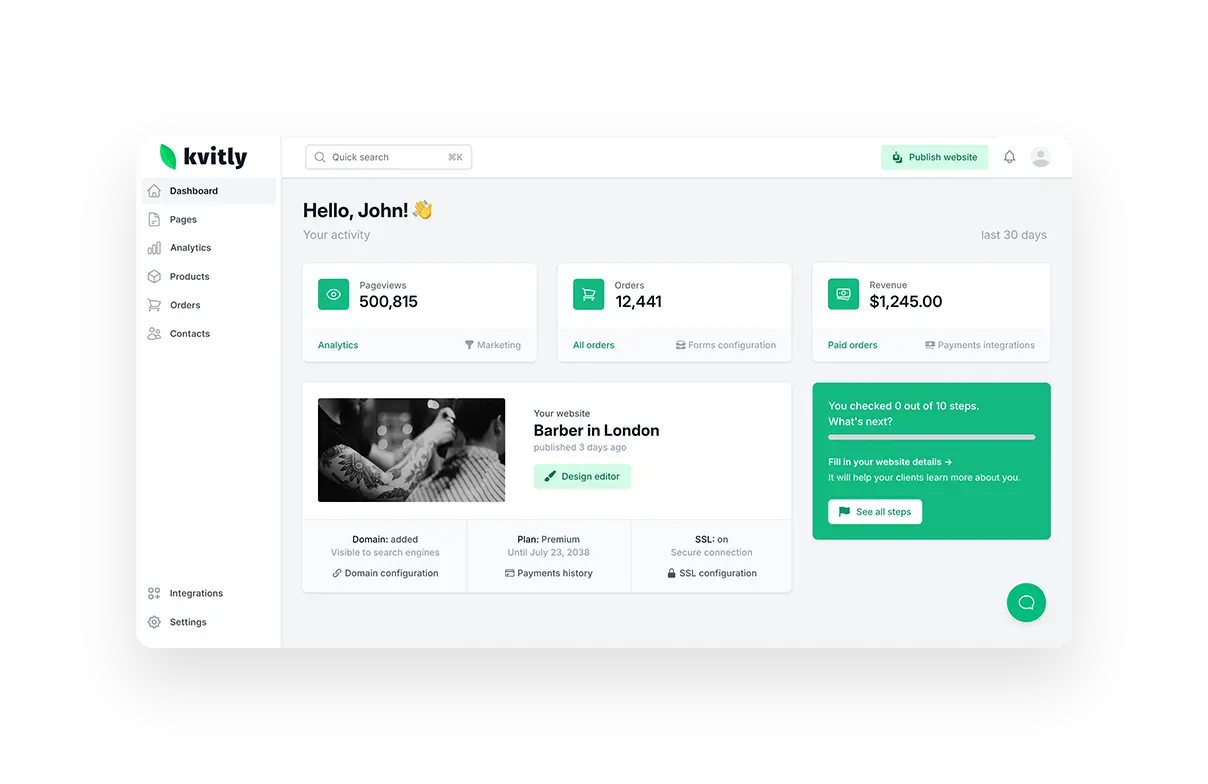
🌱kvitly is built so you don't have to integrate these tools at all — they're already one tool. Your website and store feed contacts straight into a built-in CRM. Live chat opens the customer's record as they message. Marketing automation reads the same contacts and stages, so a segment you make in the CRM is instantly available to a campaign. And an AI assistant runs through all of it, helping you draft replies, write campaign copy, and suggest the next step for a given contact.
For a small team, that removes the most fragile part of the stack — the connections between tools — because there are no connections to break. It's the same idea behind running your whole business from one dashboard instead of four subscriptions.
Related reading
If you're assembling a stack rather than consolidating, see our roundup of top AI tools for small business productivity.
For the marketing layer specifically, read which AI tool you should choose for marketing.
And to see how the all-in-one approach compares with builder-first platforms, read kvitly vs Wix vs Shopify vs Squarespace.
Frequently asked questions
Do I need a separate CRM if I use an all-in-one platform?
No. An all-in-one platform like 🌱kvitly includes the CRM, so your contacts, chat, and marketing already share one database. You'd only add a separate CRM if you had a specialized need the built-in one doesn't cover.
How do I integrate chat with my CRM if they're different tools?
Look for a native integration first; if there isn't one, a connector like Zapier can pass new chat contacts into the CRM. It works, but it's one more thing to maintain — which is why many small businesses prefer a platform where chat and CRM are the same system.
What's the minimum I should track for each contact?
Name, email, source (where they came from), and stage (lead, customer, repeat). That's enough to segment and run relevant campaigns. Add more only when you'll actually use it.
Can I automate follow-ups based on what a customer does?
Yes. When your marketing reads the same contacts as your CRM, you can trigger a sequence when someone becomes a lead, buys, or goes quiet. In 🌱kvitly this is built in, so the automation always uses current data.
The bottom line
Integrating CRM, chat, and marketing isn't really about connectors — it's about removing the gaps where context gets lost. You can wire separate tools together, or you can use a platform where they were never separate to begin with. If you'd rather skip the integration work entirely, try 🌱kvitly free for 14 days and run your contacts, conversations, and campaigns from one place.
Related articles

Natallia Usava
Head of 🌱kvitly. She commands time and a little space, knows everything about the needs of clients, loves to smile, and gets goosebumps at the sound of a cello.
Are you ready?
Explore 🌱kvitly with no limits within the trial period of 14 days. No commitment, no credit card required.
Let’s try!